


SEO
Calculating...
Nov 2026
Did the November 2026 core update hit your site? How to check
Google's November 2026 core update started on 10 November. Here is when to check your data, how to compare it, and what to do if your pages dropped.
If your rankings moved this month, don't judge the November 2026 core update yet. Wait until Google marks the rollout complete, then wait at least one more full week. Compare that week with a week before 10 November in Search Console, page by page and query by query. Small moves are normal. Only a large drop on pages that matter needs action.
Core updates make people nervous because rankings jump around while they roll out. Most of that movement settles, and the worst thing you can do is rewrite pages in the middle of it. This guide covers what Google released, when to look, how to compare your data, and what to do if you did drop.
What is the November 2026 core update?
It is a broad change to how Google ranks pages, released on Tuesday 10 November 2026 at 10:06 Pacific time. Google's Search Status Dashboard says it applies globally and to all languages, and that the rollout may take up to two weeks.
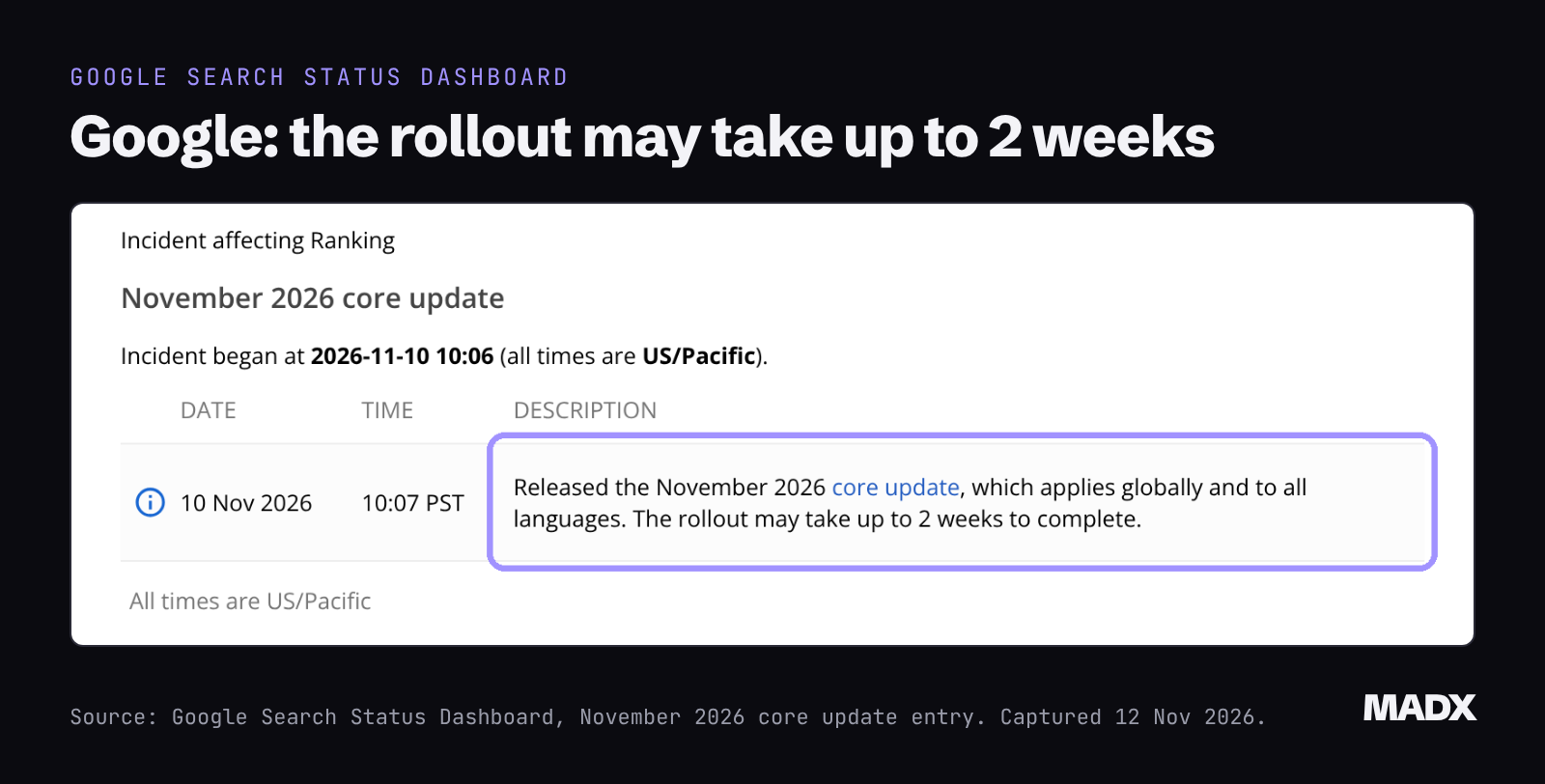
Google's own guidance on core updates describes them this way:
That matters for how you read a drop. If you fell, it doesn't mean Google found something wrong with your page. It means other pages now look like a better match for that search.
When should you check your data?
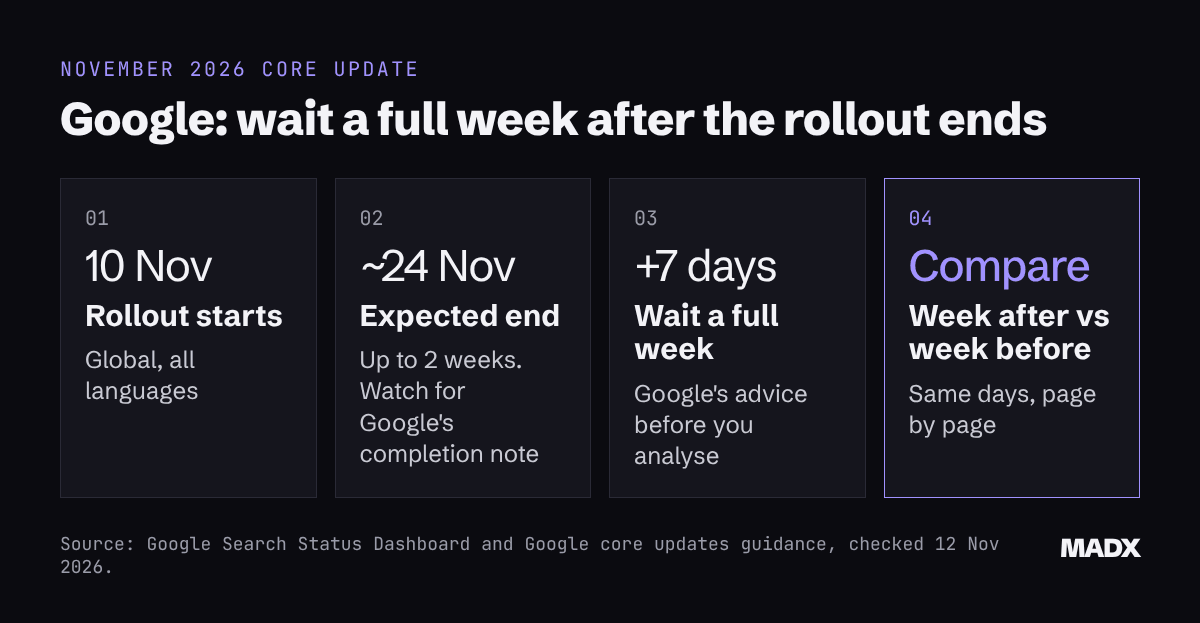
Check once the rollout is complete and a full week has passed. Until then, rankings and clicks are still moving, and any comparison you make will be out of date within days.
Google's recommendation is direct:
For this update, that means watching the status dashboard for the completion note. At the time of writing (23 November), Google has not yet marked the rollout complete. Once it does, add seven days: that is your first fair look.
How do you compare before and after?
Compare a full week after the update with a full week before it started, using the same days of the week. Google suggests exactly that comparison in Search Console.
- Pick the weeks. The before week ends on Monday 9 November. The after week starts at least seven days after Google marks the update complete.
- Open the Performance report. In Search Console, choose Compare and set the two date ranges.
- Sort by pages, then by queries. Google's guidance is to review your top pages and queries and see how they ranked before and after.
- Check clicks and position together. A fall in clicks with steady positions points to something other than the update, such as seasonality or AI answers on the results page.
- Mark 10 November in your reports. Add the date to GA4, your dashboards and your monthly report so the movement isn't read as a campaign result.
If clicks fell but rankings held, our guide to what to check when traffic is down but rankings are fine walks through the other causes.
Was your drop small or large?
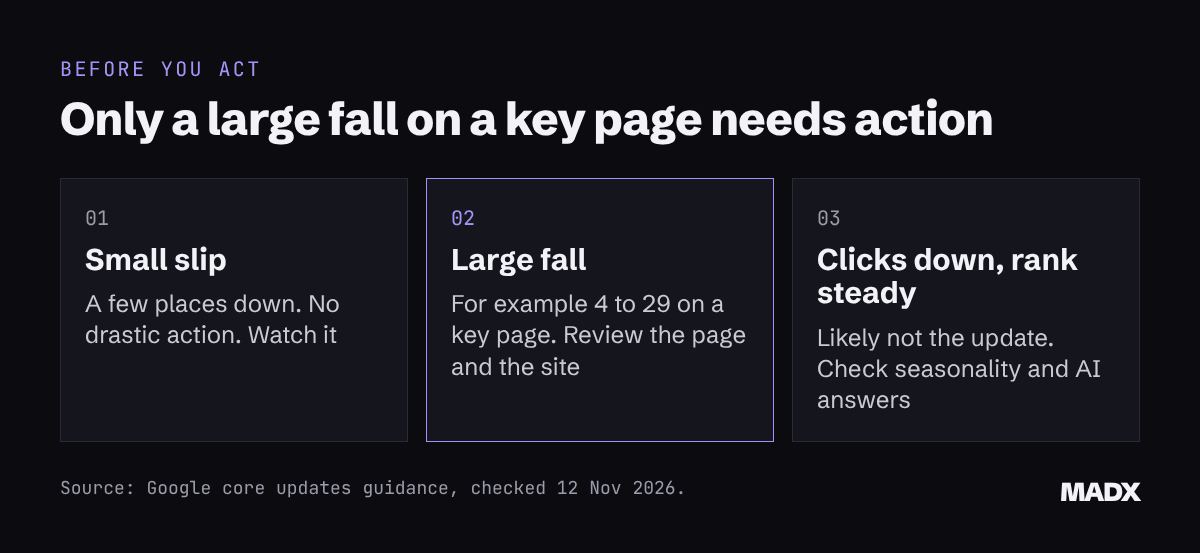
Sort every page that moved into small drops and large drops before you do anything. Google's advice is different for each.
The 4 to 29 example comes from Google's core updates documentation. Google also says that most sites "don't need to worry about core updates and may not even realize one has happened."
What should you do if your pages dropped?
Look at the site as a whole, not just the pages that fell. Google's advice is to check whether your site overall, not just individual pages, is delivering content that's helpful, reliable and people first.
Start with the pages that matter commercially
For a B2B SaaS site, a drop on a pricing, comparison or product page matters far more than a drop on an old blog post. Sort the affected pages by what they bring in (demo requests, sign-ups, pipeline), not by traffic.
Compare yourself with the pages that replaced you
Search the queries you lost and read the pages that now rank above you. Ask what they answer that you don't: more recent figures, first-hand experience, clearer comparisons, or a simpler answer at the top. Our guide to content refreshes covers how to update a page without starting again.
Don't rush changes during the rollout
Hold migrations, URL changes, mass redirects and content pruning until the update has settled. Changing several things at once makes it impossible to tell what caused what.
Give it time
Google says some changes take effect in a few days, but it could take several months for its systems to recognise improvements, and sometimes it means waiting for the next core update.
What about Black Friday and Cyber Monday?
Black Friday is on 27 November and Cyber Monday on 30 November, so both fall inside or just after the rollout. Seasonal swings and the update will overlap in your data.
Depending on your market, late November can push search demand up or down. Compare against the same weeks last year as well as the week before the update, so a seasonal dip isn't read as an update hit, or the other way round.
The takeaway: wait, compare like for like, then act on large drops only
The November 2026 core update started on 10 November and, as of 23 November, is still rolling out. Wait until it is complete, wait one more full week, then compare a week after with a week before, page by page. Leave small drops alone, look hard at large drops on important pages, and keep the update and Black Friday apart in your reports.
If you want a second opinion on how your site is doing in Google and in AI answers after the update, MADX runs a free AI visibility audit.
Frequently Asked Questions
When did the November 2026 core update start?
Google released it on Tuesday 10 November 2026 at 10:06 Pacific time. Google's Search Status Dashboard says it applies globally and to all languages, and that the rollout may take up to two weeks.
How long should I wait before checking the impact?
Google recommends waiting at least a full week after a core update completes before analysing your site in Search Console. Then compare that week with a week before the update started rolling out.
My rankings dropped. Is something wrong with my site?
Not necessarily. Google says core updates are broad and don't target specific sites or pages. A drop usually means other pages now look like a better match for that search, not that your page broke a rule.
Should I change my pages while the update is rolling out?
Hold big changes such as migrations, URL changes, mass redirects and content pruning until the update has finished. Changing several things at once makes it hard to see what caused any later movement.
How long does it take to recover from a core update?
Google says some changes can take effect in a few days, but it could take several months for its systems to recognise improvements. In some cases you may need to wait until the next core update.
Does the core update affect AI Overviews?
Google's announcement of this update doesn't mention AI Overviews. Track the queries where you appear in AI Overviews separately in your reporting, so you can see any change on its own.
Want this done for your brand? Get a free AI visibility audit.
Get my free AI visibility audit
Latest articles
What we've published in the past 30 days — across SEO, GEO, content, and digital PR.