SEO
Calculating...
Aug 2026
Top Tools for Automating SaaS SEO Workflow That Drive Visibility
Explore proven tools for automating SaaS SEO workflow and build a scalable SEO system that supports growth and revenue impact across AI and traditional search.

SaaS SEO gets harder as products grow. New pages are published often, content expands across features and use cases, and technical changes stack up over time. At the same time, AI overviews, answer engines, and zero-click results are reshaping how brands earn visibility.
At this stage, automation is critical. SEO teams need systems that keep research, content, technical monitoring, and reporting aligned across both traditional search and AI-driven surfaces.
The right tools for automating SaaS SEO workflow handle repeatable tasks such as finding keyword opportunities, supporting content creation, monitoring site health, testing SEO changes, and tracking performance.
This guide breaks down the tools that support SEO automation across modern SaaS marketing teams.
What We'll Cover
TL;DR - Tools for Automating SaaS SEO Workflow
Before we go into a detailed study of tools, here is a quick reference of each SaaS SEO automation tool.
| Tool | Primary Use Case | Key Feature |
|---|---|---|
| MarketMuse | Keyword research and demand discovery | AI topic modeling and automated content clusters. |
| SEO.ai | Opportunity discovery and content planning | Automated keyword-to-brief generation pipeline. |
| Semrush | Automating keyword research and SEO analysis | Large-scale keyword tracking and competitive intelligence. |
| Surfer SEO | Content optimisation and on-page SEO | Data-driven content guidelines tied to ranking pages. |
| Frase | Content planning and optimisation | SERP analysis and AI-assisted content structuring. |
| Clearscope | Content quality and topical coverage | Keyword relevance scoring and content depth insights. |
| Sitebulb | Technical SEO monitoring and automation | Scheduled crawls with prioritized issue exports. |
| Search Atlas | Technical SEO and automated SEO testing | Change monitoring and SEO experimentation support. |
| SE Ranking | SEO tracking and technical audits | Rank tracking combined with site audit automation. |
| Ahrefs | Performance tracking and backlink analysis | Authority and backlink intelligence at scale. |
| Google Looker Studio | SEO reporting and content performance tracking | Scheduled PDF reports blending GA4/SEMrush data. |
| Tableau | SEO data aggregation and reporting | AI Pulse metrics with automated subscriptions |
Key Challenges in Manual SEO Workflow for SaaS
Manual SEO often breaks down as a SaaS company scales. When tasks pile up faster than your team can manage them, it creates a few specific challenges:
- SEO tasks scale faster than team capacity: Keyword research, content updates, technical checks, and reporting keep increasing. Your team runs out of time to complete it all. Instead of planning ahead, they're stuck handling whatever's urgent that day.
- Insights arrive too late to influence decisions: Reports built by hand take time to pull together. By the time you spot a trend, the opportunity has already passed. You're always reacting and not planning ahead.
- Technical issues persist longer than they should: When you only audit once a month, broken links and indexing issues sit live for weeks. These hurt your rankings while you're waiting for the next scheduled check.
- SEO impact remains disconnected from revenue: You can see that rankings went up and traffic grew. But you don't know if that actually brought more demos, trials, or customers. SEO feels disconnected from revenue, so it's hard to justify investment.
- AI-search visibility lacks structure: Traditional workflows ignore how AI search engines, like Perplexity or Google’s AI Overviews, pull data. If your process isn't optimized for these new formats, you're losing visibility to competitors who are.

How to Understand Your SaaS SEO Automation Needs
Automation only works when it solves real problems in your workflow. The key is figuring out where it actually saves time and moves results.
Here’s what you need to do to assess your SaaS SEO automation needs:
- Map out your current SEO process: Write down how you do keyword research, plan content, publish pages, check technical issues, and report on results. This shows you exactly where things slow down.
- Find tasks that repeat. Look for work that happens the same way every time: when you add a new page, launch a feature, or enter a new market. These repetitive tasks are your best candidates for automation.
- Connect automation to a real goal. Don't automate just to automate. Ask: Will this help us publish faster? Catch technical problems earlier? Get better content across more pages? Make sure each automated process has a clear outcome.
- Check if you have too much data to track manually. Automation matters most when you're managing hundreds or thousands of pages. If your team can keep track of everything by hand, automation might not be worth the effort yet.
- Start with what your team needs now. Early-stage teams usually benefit most from automating research and reporting. Growing teams need to automate technical monitoring and content systems so they can scale without hiring more people.
Keyword Research and Content Planning Automation Tools
Keyword research automation helps SaaS teams stop guessing and start prioritizing.
By connecting search data to real-world demand, these tools make sure that you aren't just chasing traffic, but also targeting the specific problems your software solves:
MarketMuse
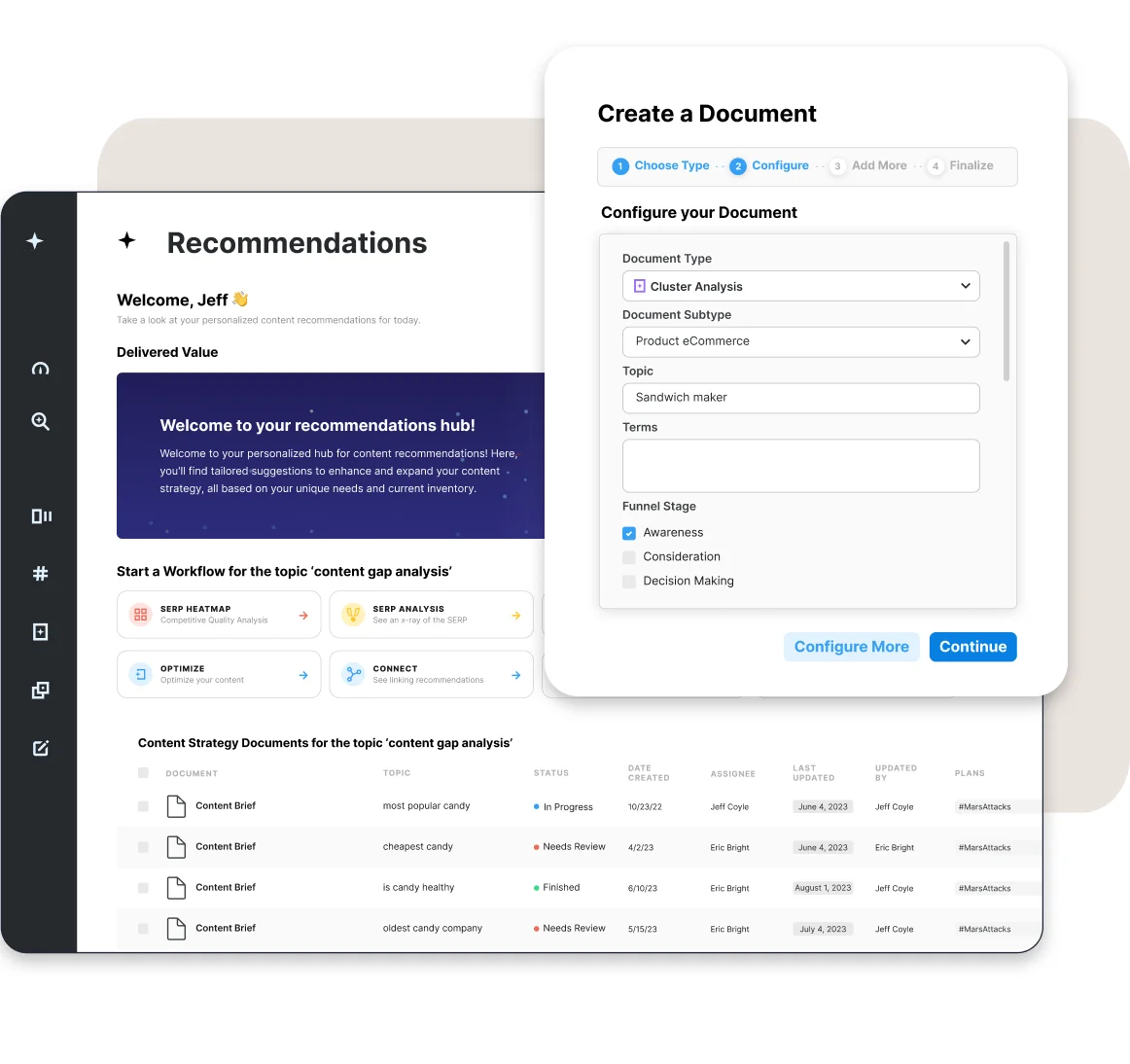
MarketMuse moves beyond simple keyword lists by using AI to build "topic universes." It automatically groups up to 2,500 related terms into clusters, showing you exactly how much content you need to "own" a specific subject.
What makes it different is its personalized difficulty score. Instead of a generic ranking, it looks at your existing content to tell you how hard it will be for your specific site to rank.
SEO.ai

SEO.ai turns a single keyword into a ready-to-use content plan in seconds. Its "Keyword to Brief" pipeline does the heavy lifting by automatically scraping the top search results to extract intent and common headings, then building a structured outline with target word counts and subtopics you might have missed.
For SaaS teams, it adds a layer of proactive research. It continuously scans for new keyword opportunities in your niche and funnels them directly into your content calendar. This keeps your strategy moving without you having to manually search for new topics every week.
Semrush
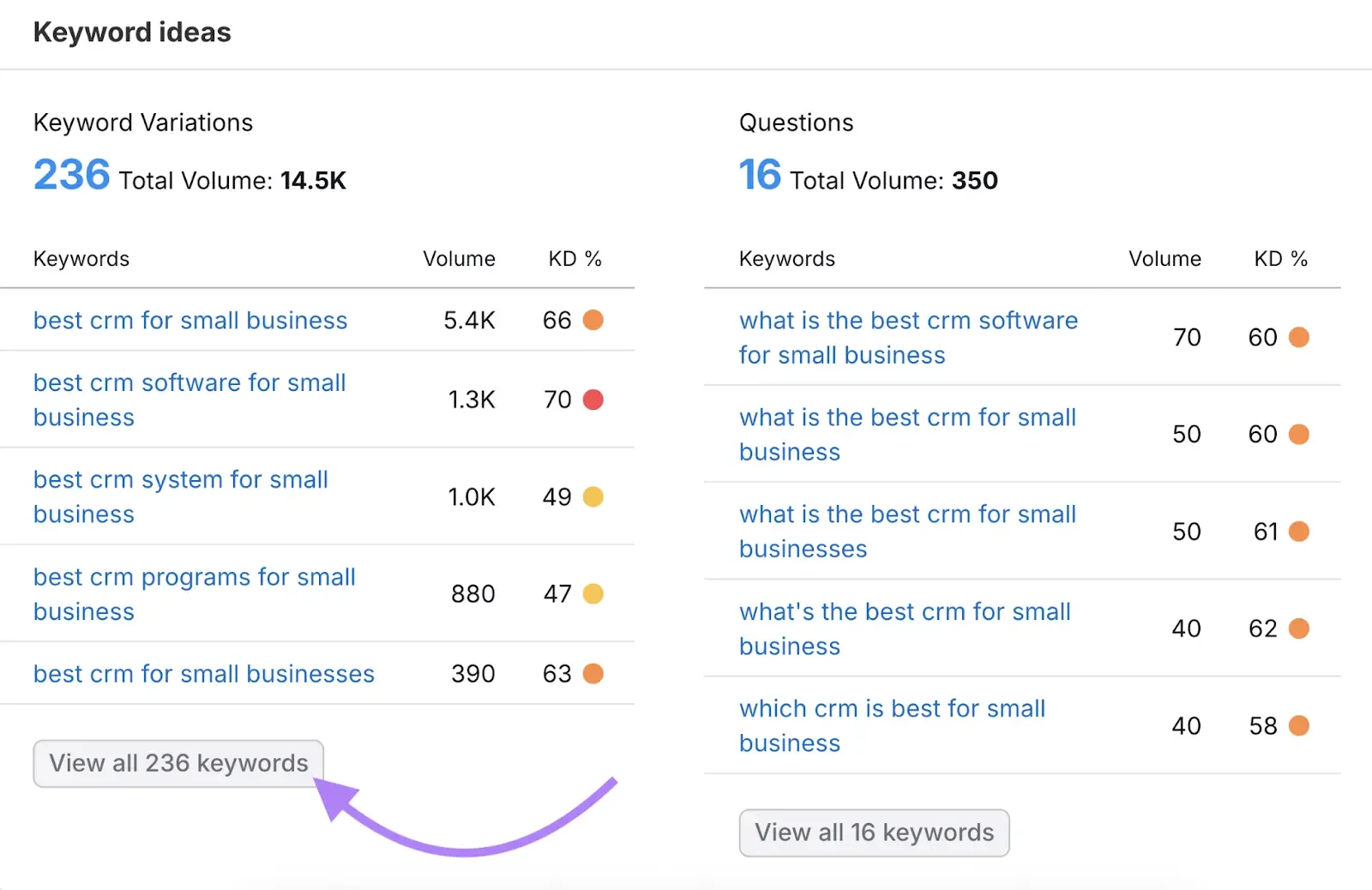
Semrush’s "Keyword Magic Tool" uses AI to group millions of terms by topic and where they fit in the buying funnel. It also handles the daily monotonous work by automatically tracking your rankings across different regions and devices.
SaaS marketing teams can use it to recognize content gaps and turn those insights into an automated content calendar that focuses on conversions.
If you’ve been considering SEMrush, our in-depth SEMrush review will help you evaluate its strengths, limitations, and overall fit for your goals.
Content Creation and Optimization Tools
Content optimization tools translate what's ranking into clear guidance for your writers. They lower back-and-forth and help content move from draft to published faster.
Surfer SEO
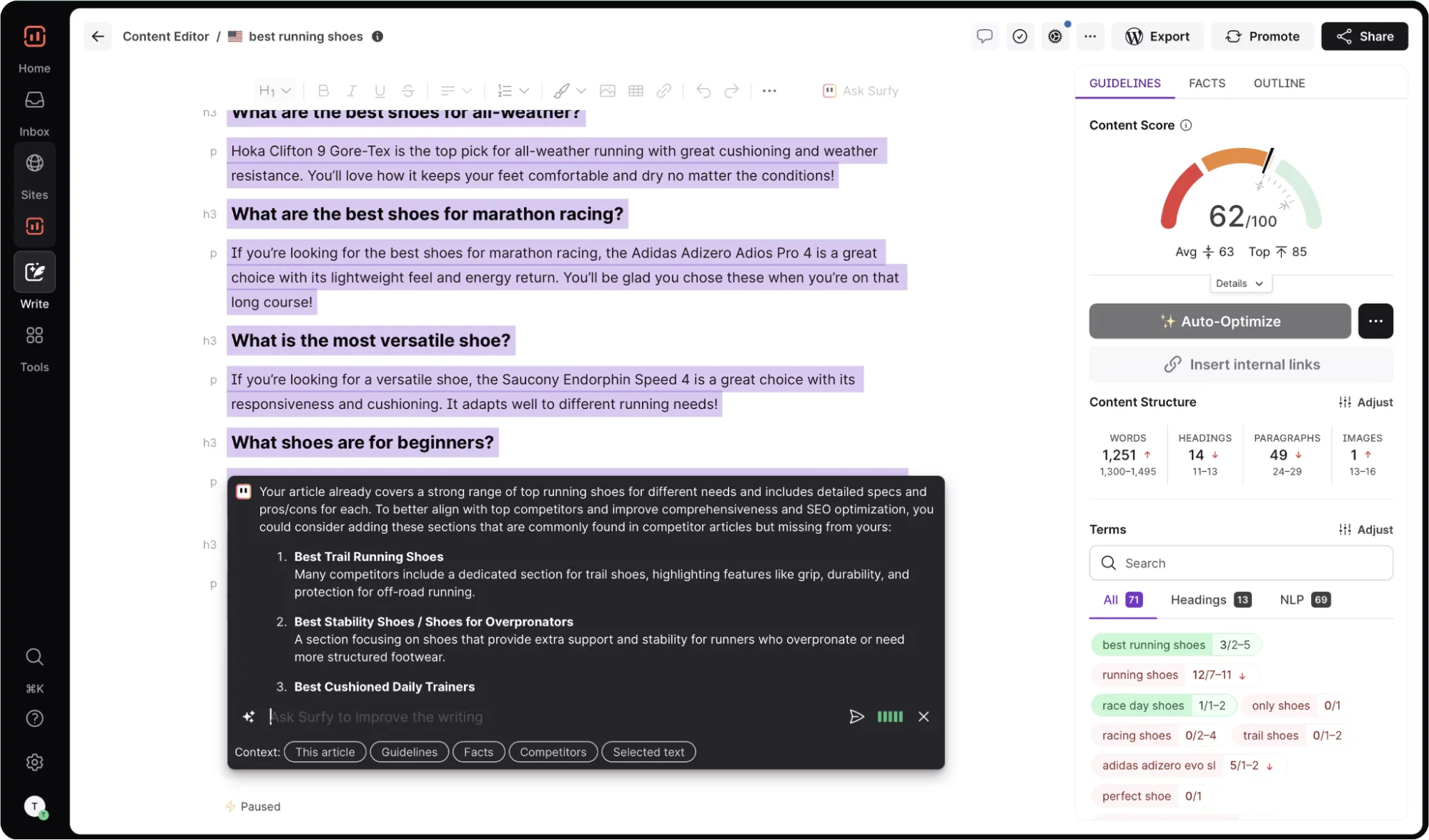
Surfer SEO helps you optimize while you write in real-time. It analyzes the top-ranking pages for your target keyword and shows you the right structure, word count, headings, and key terms to use.
The editor scores your draft as you work, giving instant feedback so you know whether you're on track before you publish.
For a detailed understanding, refer to our Surfer SEO review blog to understand how it performs in real-world content workflows.
Frase
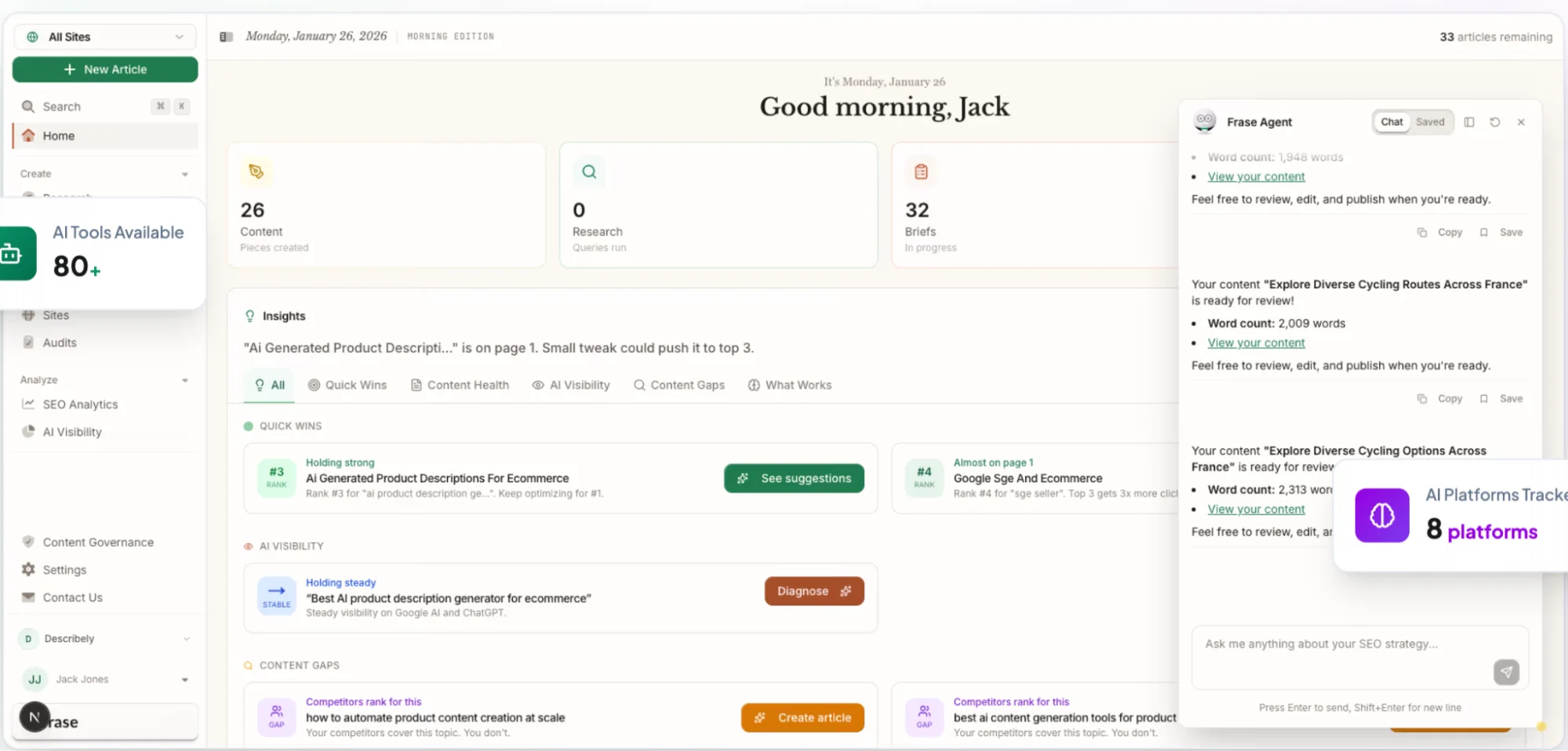
Frase is designed to speed up the entire writing process by analyzing the top Google results for any given keyword. It instantly generates detailed content briefs that include competitor headings, common user questions, and specific topics you need to cover to rank.
As you write, it gives your draft a real-time "Content Score" based on how well it matches the top 20 results. For SaaS teams, it’s a massive time-saver as it removes the need for manual research and separate writing tools, helping you get high-quality posts out the door much faster.
Clearscope
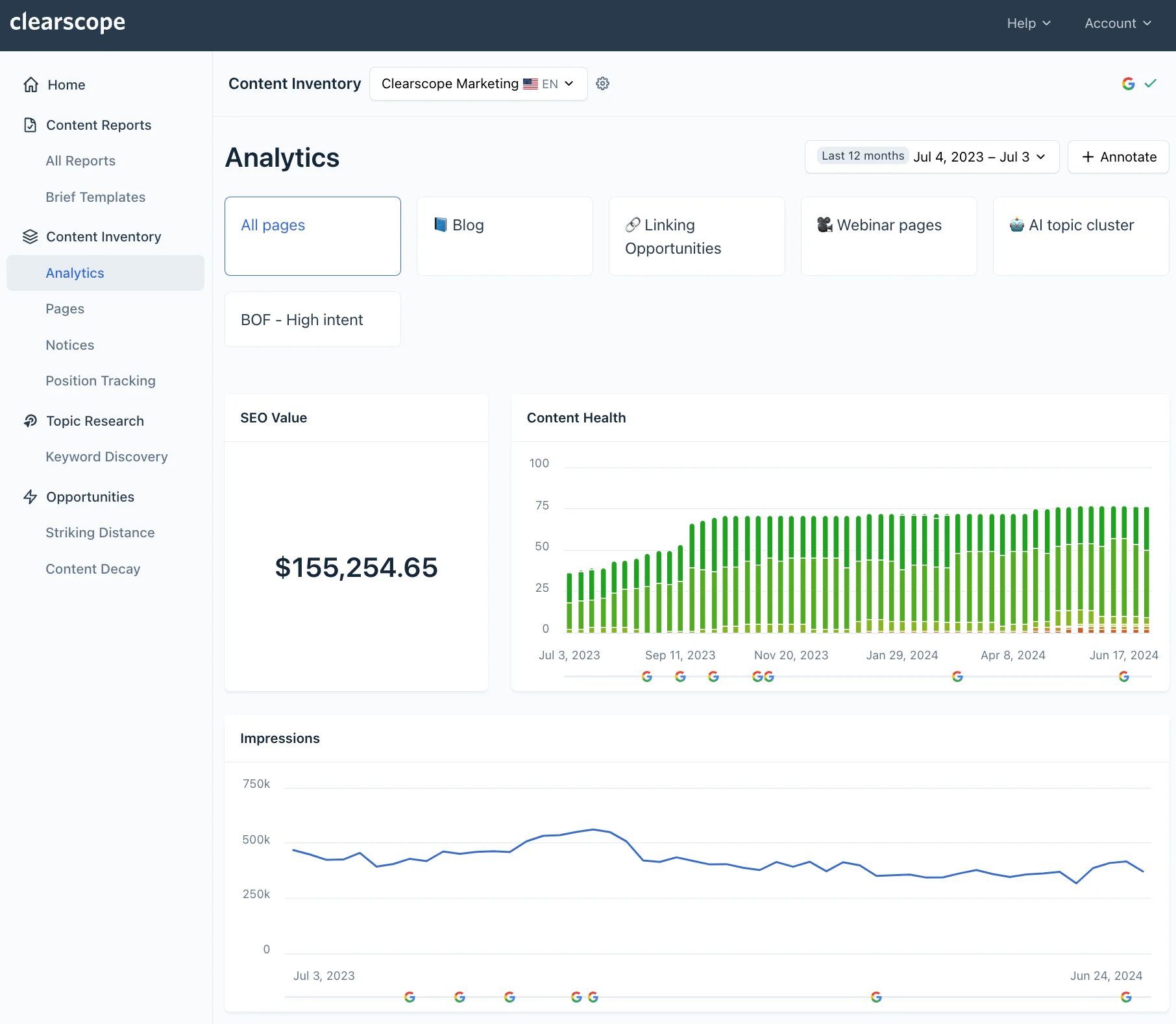
Clearscope uses AI to analyze top-ranking pages and show you exactly what terms, headings, and questions your content needs to include to rank on page one. It simplifies the research phase by generating structured briefs that perfectly match search intent.
The tool integrates directly with Google Docs and WordPress, which gives you a live grade (A–F) as you write. It also shows specific gaps in your topics and suggests improvements for readability and word count in real time.
However, if you’re weighing other options, our guide to the best Clearscope alternatives will help you compare tools and find one that aligns better with your goals.
Technical SEO Automation Tools
Technical SEO tools monitor your site continuously. They catch crawl errors, indexing issues, and performance problems before they affect your rankings across large sections of the site.
Sitebulb
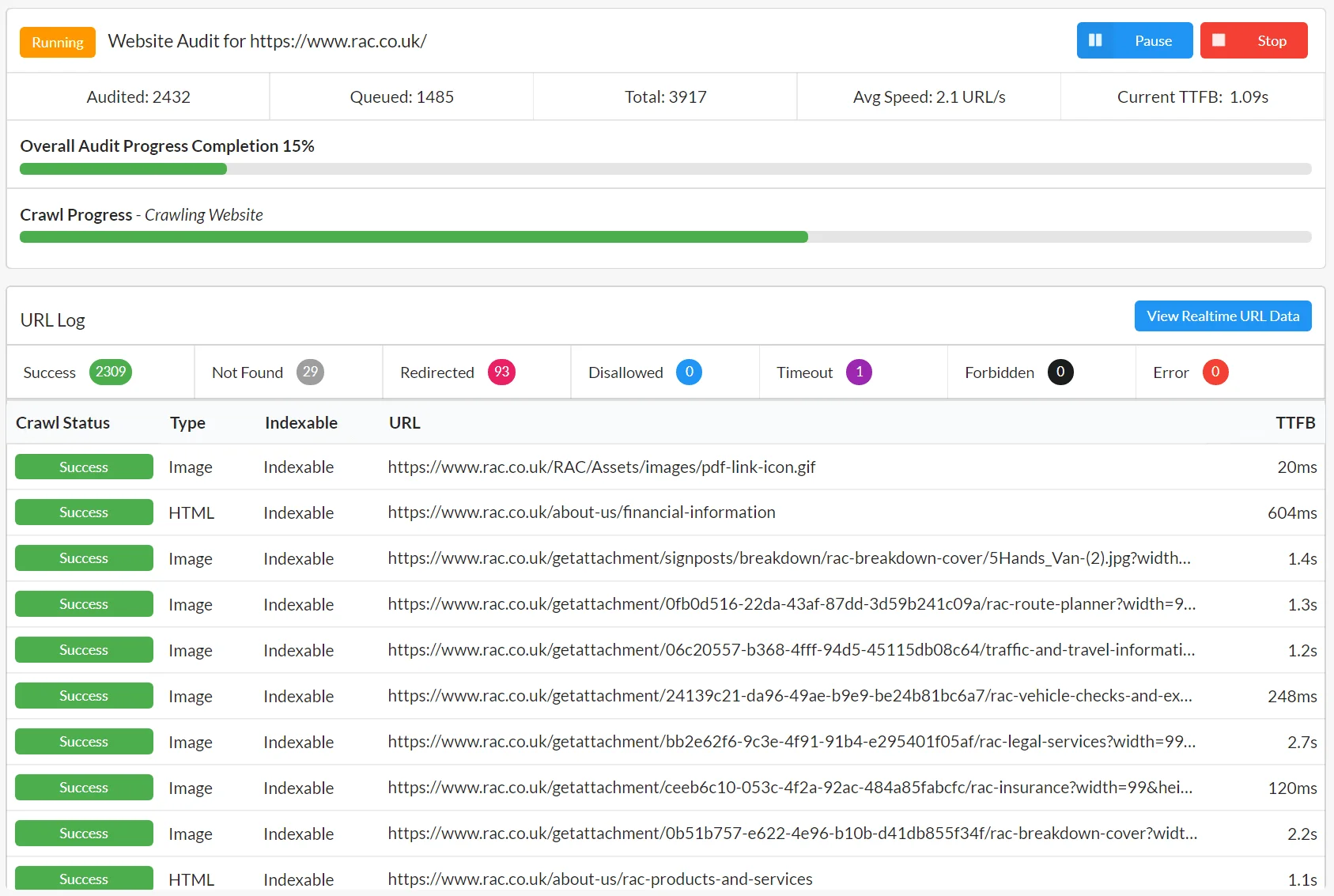
Sitebulb runs scheduled cloud crawls, up to 500,000 pages at a time, to catch over 300 technical issues like slow load speeds, broken links, or pages Google can't find.
That makes it a massive time-saver for SaaS teams is its connectivity. Instead of you digging through data, Sitebulb automatically sends a prioritized list of fixes to Google Sheets or Airtable and alerts your team via Slack when a critical error pops up.
Search Atlas
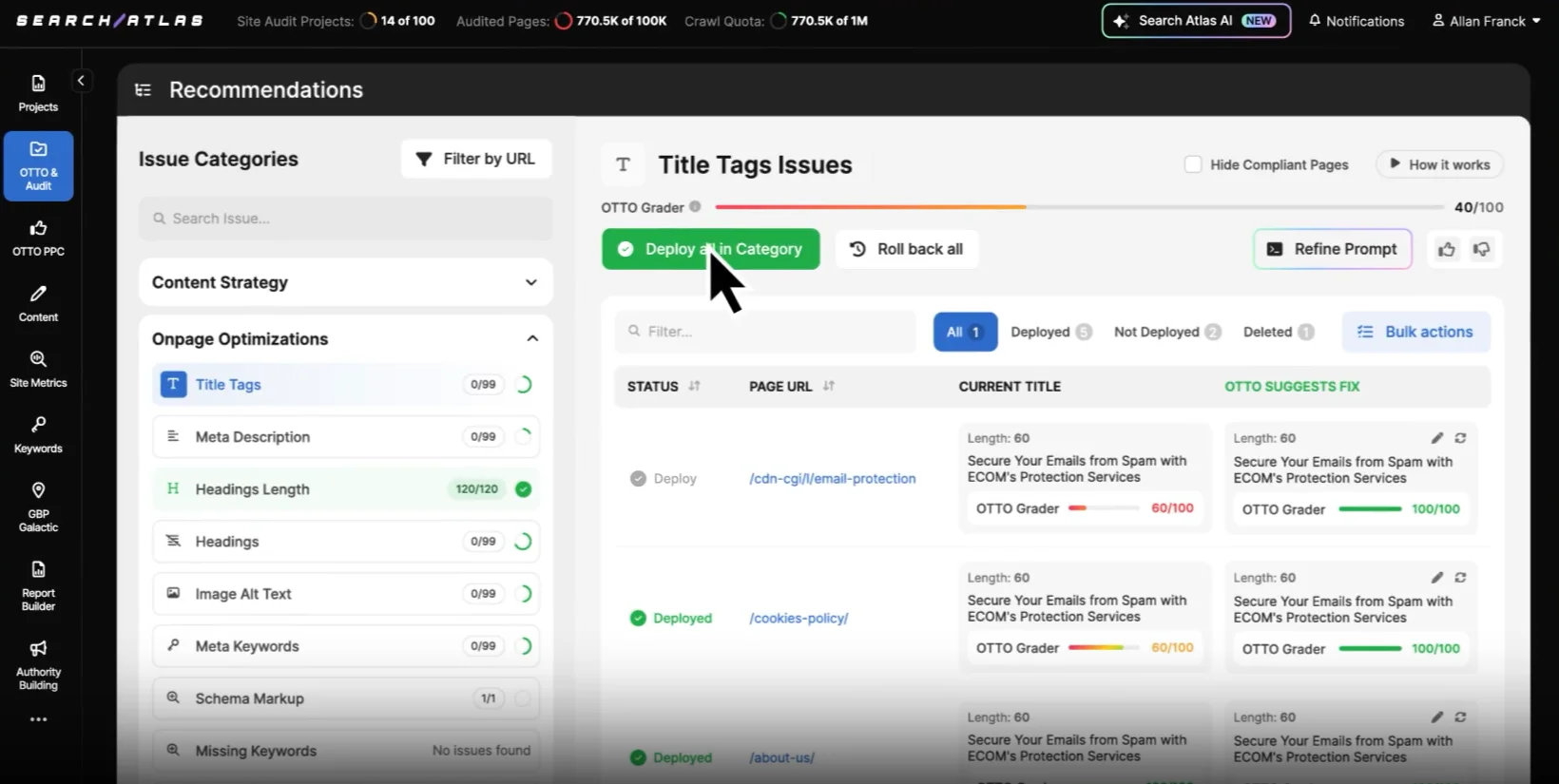
Search Atlas's AI agent, OTTO, doesn't just find site errors, but fixes them for you. By adding a simple piece of code (a pixel) to your site, the AI can automatically handle internal linking, meta tags, and schema markup without you needing a developer.
It continuously monitors your site’s health and pushes technical updates directly to your CMS in real-time.
SE Ranking
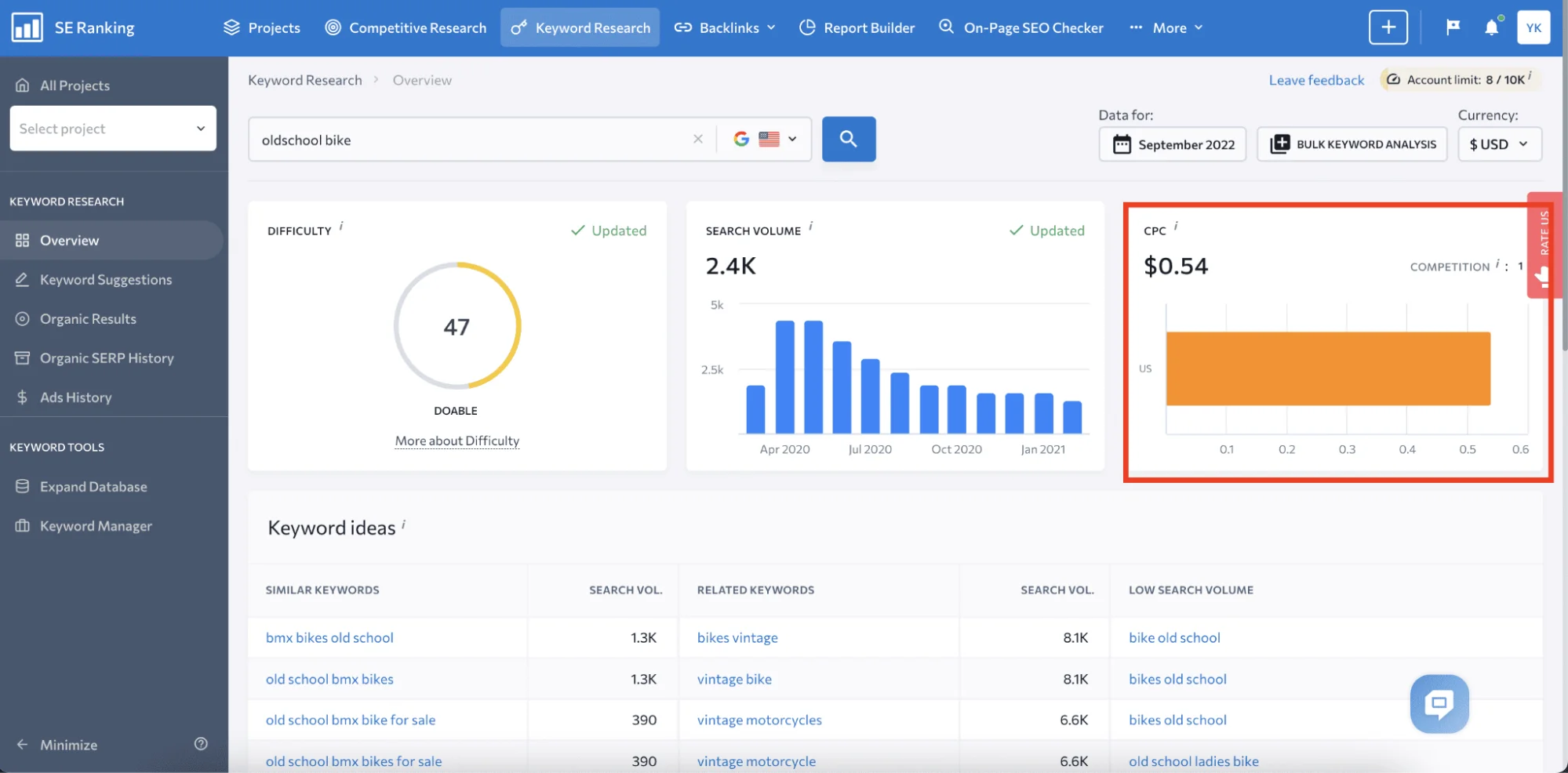
SE Ranking combines audits, rank tracking, and technical monitoring all in one place. It performs SEO audits, monitors how individual pages are performing, and keeps visibility reporting directly connected to actual site health.
This means your rankings are always viewed through the lens of technical issues that might be holding you back.
Read our detailed blog for a full SE Ranking review, including features, pricing, and customer reviews.
Performance Tracking and Reporting Automation Software
Performance tracking tools connect visibility to outcomes and remove the overhead of manual reporting. They help you see if SEO is actually driving business results.
Ahrefs
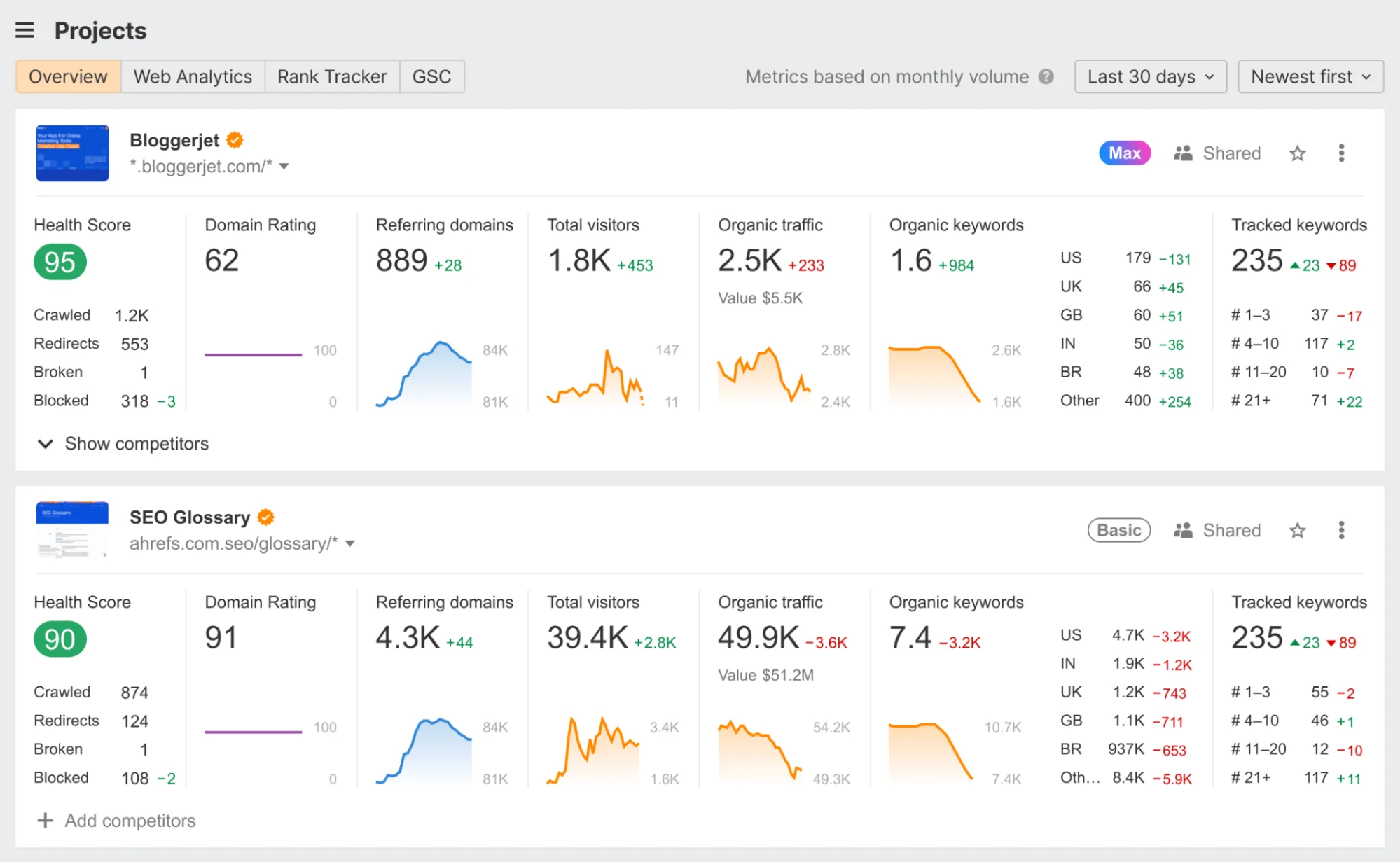
Ahrefs automates the tedious parts of performance tracking. Its "Site Audit" runs on a schedule to find technical bugs and email you a prioritized to-do list so you don't have to go looking for problems.
The Rank Tracker feature also updates your keyword positions daily and automatically calculates your "Share of Voice" against competitors. SaaS teams can use the Report Builder to sync Google Search Console and GA4 data into automated emails for stakeholders.
Here’s a detailed review of Ahrefs to help you understand if it's the right tool for your needs.
Google Looker Studio
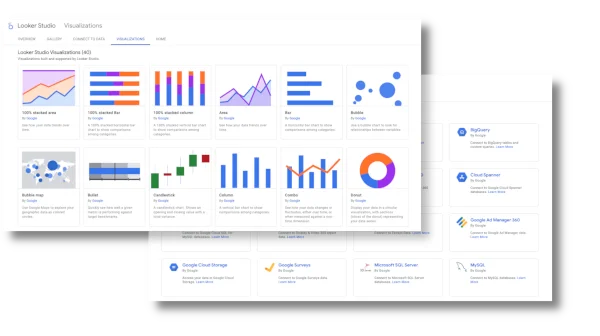
Looker Studio is a free, beginner-friendly tool from Google. It automatically pulls live data from sources like GA4, Search Console, and Ahrefs, meaning you never have to manually refresh or export a spreadsheet again.
You can also schedule automated PDF or email reports to go out to stakeholders daily or monthly, showing exactly which blogs or landing pages are driving actual trials.
Tableau
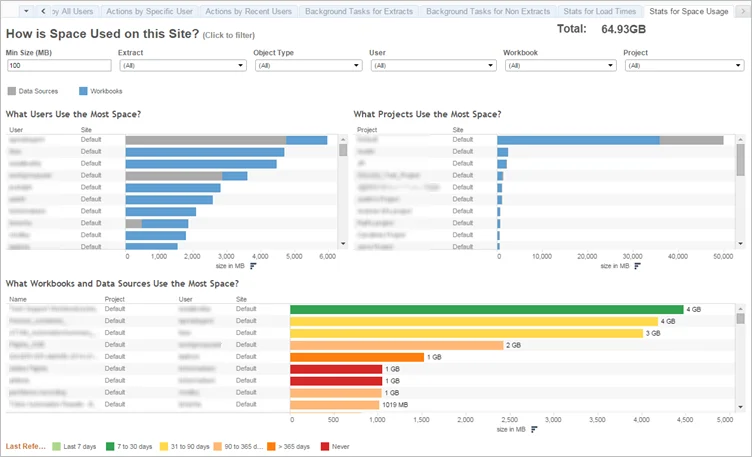
Tableau turns complex data into an "autopilot" reporting system. Once you set up your SEO and GA4 connections, its "Prep Conductor" keeps your dashboards refreshed automatically, so you never have to manually update a chart.
It also includes "Tableau Pulse," which uses AI to send you a heads-up if your organic traffic or conversions suddenly spike or drop, explaining the why behind the numbers without you having to dig for it.
Automation tools make content planning, keyword research, and performance tracking easy. But sometimes you need an expert to connect your product story to the way your audience actually searches and evaluates solutions.
This is where MADX Digital comes in. We are built specifically for SaaS and technology companies that rely on organic growth to drive pipeline and revenue.
Instead of treating SEO as a tool-driven checklist, we integrate B2B SaaS copywriting, website messaging, content strategy, and generative engine optimization (GEO) into one connected system.
What makes this different:
- Every page is planned around how SaaS buyers research and decide.
- Keyword lists aren’t handed off to writers. Content strategy, ranking, and conversions move together.
- Topical depth and internal linking compounds' visibility over time.
- Every page has a role in your funnel, from awareness to trials.
If you're running a B2B SaaS company and your automation tools are generating more questions than answers, let's talk. Book a discovery call with MADX Digital to understand how SEO copywriting, strategy, and expertise work for your business.
Top Features to Look for in SaaS SEO Automation Tools
The best automation tools handle the work that slows you down and make it easier to make smart decisions. Look for these features:
- Keyword research automation tied to intent: Surfaces opportunities based on search demand, intent, and topic relationships so teams can prioritise pages that drive qualified traffic.
- Content help from start to finish: Good tools guide you through briefs, outlines, and optimization. They reduce back-and-forth with writers and let you know what to expect before you publish.
- Automated SEO testing and validation: Tests changes such as metadata updates, internal linking, and page templates to measure impact before rolling improvements across the site.
- Scalable reporting and data integration: Consolidates data from multiple SaaS marketing tools into clear dashboards that support faster decisions and stakeholder alignment.

How MADX Digital Helps SaaS Companies Scale SEO With Intent
SaaS SEO automation tools handle research, optimization, monitoring, and reporting. But visibility only grows when those tools are guided by clear priorities and strategy. You need a plan that matches how your customers actually search and decide.
This is where MADX Digital stands apart. We build SEO systems that connect tooling with strategy. This way, keyword research, content creation, technical SEO, and GEO work together to support rankings, evaluation journeys, and conversions across long sales cycles.
If you want your SaaS SEO workflow to perform as a measurable revenue channel, schedule your free SEO demo call. The MADX Digital team will review your site, assess how buyers experience your messaging, and outline what it takes to scale organic growth sustainably.
Frequently Asked Questions
Can No Code Tools Support SaaS SEO Automation?
Yes, but only for execution, and not strategy.
No-code tools can automate reporting, keyword tracking, content workflows, and data syncing across SaaS marketing tools. They reduce manual work.
However, these tools cannot define search intent, prioritise pages, build topical authority, or make technical SEO decisions. Use them to support a SaaS SEO workflow, rather than to run it.
Are SEO Automation Tools Suitable for Early-Stage SaaS Companies?
They can be, if used selectively. Early-stage SaaS teams should use automation to:
- Automate keyword research and opportunity discovery
- Run a basic SaaS SEO audit
- Track rankings and content performance
Avoid complex stacks and heavy automation and focus on fundamentals first.
How Often Should SaaS SEO Automation Tools Be Reviewed?
At least quarterly, and sometimes more often. SaaS teams should regularly review:
- Whether automated insights still align with current business goals
- If reports are driving decisions or just creating noise
- How changes in search behaviour, AI overviews, or product positioning affect relevance
.png)
Latest articles
What we've published in the past 30 days — across SEO, GEO, content, and digital PR.