.webp)





.webp)
SEO
Calculating...
Aug 2026
SaaS SEO Checklist - Key Steps for Better Organic Rankings
Complete SaaS SEO checklist covering strategy, keywords, technical SEO, content, and link building. Get predictable organic growth with our proven framework.
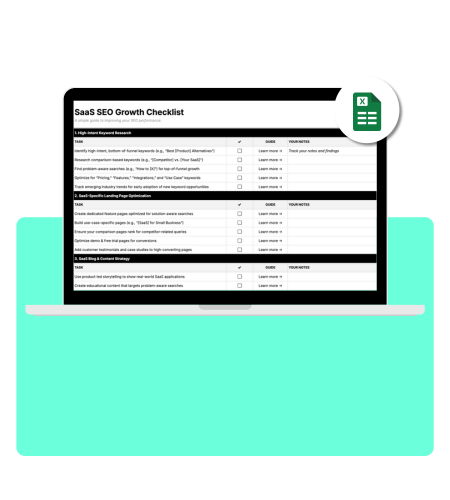
SaaS SEO is about making your software easy to find when potential customers search Google for solutions you provide.
Here's how it works:
- Someone searches for a solution to their problem,
- Finds your content in the top results,
- Clicks through, and
- Learn how your product can help.
The main reason SaaS companies invest in SEO is that it drastically reduces customer acquisition cost (CAC). SEO is cheaper than most marketing channels, and the traffic keeps coming long after you've done the work. It's sustainable and well-targeted.
But SEO for SaaS comes with unique challenges you won't find in other industries. Even with experience, remembering every SEO task for your website feels impossible. That's exactly why you need a SaaS SEO checklist, a clear framework that tells you what to prioritize and when.
What We'll Cover
TL;DR - Complete SaaS SEO Checklist
Here's everything you need to focus on, organized by priority:
| Category | Top Priorities | Expected Impact |
|---|---|---|
| Strategy | Set goals tied to MRR, demos, and closed deals | Aligns SEO with revenue from day one |
| Keywords | Target comparison and "vs" keywords first | These convert 2–3x better than generic terms |
| Technical | Fix JavaScript rendering, use subdirectories for blog | Can boost traffic significantly |
| Content | Build comparison and alternative pages | Drives high-intent traffic ready to buy |
| Links | Get listed on G2 and Capterra, create free tools | Builds foundational authority fast |
| Tracking | Connect GA4 to your CRM to track organic revenue | Shows actual ROI instead of vanity metrics |
Beyond this high-level overview, you need a systematic way to audit your current SEO performance and identify what's holding you back.
Our complete SEO audit checklist walks you through evaluating your technical foundation, content gaps, backlink profile, and on-page optimization across 50+ checkpoints.
It's the same framework we use when auditing SaaS sites pulling in seven figures from organic traffic.
If you'd rather have experts handle the heavy lifting, request a free SEO audit, and we'll show you exactly where your biggest opportunities are.
Why SEO for SaaS Requires a Different Approach
You can't copy what e-commerce sites do and expect it to work. SaaS SEO operates under completely different rules.
Think about it: when someone buys a product on Amazon, they buy once and leave. When someone signs up for your SaaS, you're starting a relationship that could last years.
That changes everything about how you approach SEO. Here's why SaaS SEO is fundamentally different:
- Your buyers take forever to decide. SMB SaaS deals under $15,000 typically take 14-30 days to close, while the median across all B2B SaaS is 84 days. Enterprise deals? Even longer, stretching to 90-180+ days. During that time, multiple people are Googling different things. Their developer searches "API integration tools," while their CFO searches "cost-effective SaaS platforms." Same product. Completely different keywords.
- Your search volumes look tiny but hide massive value. A keyword like "enterprise payroll software" might only get 500 searches per month (or even less). Looks weak, right? Except one visitor could turn into a six-figure annual contract. This is why B2B companies generate more revenue from organic search than any other channel.
- Your tech stack creates unique problems. If you're running a React or Vue app, Google's crawlers struggle to see your content. Customer-generated content sitting behind login walls creates indexing nightmares. Your marketing site has to carry your entire SaaS SEO strategy while your actual product stays invisible.
You also need content types that traditional businesses skip. Comparison pages, alternative pages, integration guides, tools, calculators, etc. They're how you capture people actively evaluating solutions.

SaaS SEO Strategy Checklist
Before you write a single blog post, you need a strategy that connects to revenue:
Connect SEO Directly to Your CRM
Set up tracking so you can see which keywords drive demo requests and which ones drive actual closed deals.
Traffic without pipeline contribution is just a vanity metric.
You want to know: did this blog post generate $50,000 in closed revenue or just 10,000 visits from people who bounced?
Study Your Competitors the Right Way
Pop open Ahrefs or Semrush and reverse-engineer what's working for your top three competitors.
Look at their keyword gaps (what they rank for that you don't), their top-performing pages, and who's linking to them.
But here's the key: your search competitors aren't always your product competitors. Someone might rank for your keywords without being a direct business rival.
Map Content to Your Buyer Journey
You need three content types:
- Top of funnel (TOFU): Educational blogs and glossaries that help people understand their problem.
- Middle of funnel (MOFU): Comparison pages and case studies that help people evaluate solutions.
- Bottom of funnel (BOFU): Demo pages, alternative pages, and pricing pages that turn consideration into signups.
Don't expect your "What is CRM?" blog post to drive signups. That's not its job. Its job is to build topical authority so your comparison pages rank higher.
Prioritize BOFU Over TOFU
This is where most teams mess up. They spend six months writing educational content and wonder why revenue doesn't move.
You need to build your comparison pages and alternative pages first. They convert faster and prove SEO's value to your leadership team.
This is especially important now with AI search changing the game. TOFU content has lost much of its value because most informational searches are now answered directly by AI Overviews.
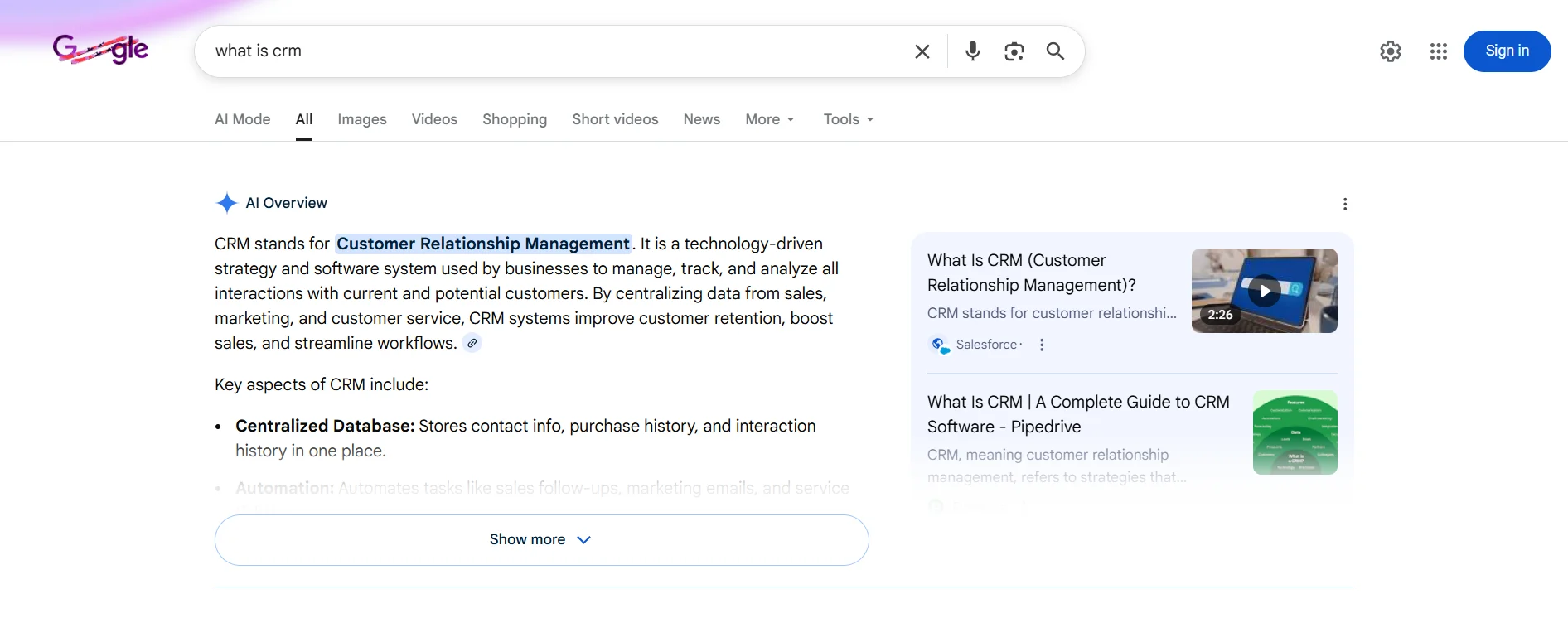
People aren't clicking through to your "What is CRM?" blog post anymore.
The real challenge is getting your brand cited in ChatGPT, Perplexity, Google AI Overviews, and other AI-driven platforms. That's where GEO (Generative Engine Optimization) comes in.
At MADX Digital, we combine GEO with traditional SEO to increase your visibility across both search engines and AI platforms.
We optimize your content structure, build brand authority through strategic mentions, and use structured data to make your information easy for AI models to parse and cite.
Not sure where to start with your SaaS SEO strategy? Book a free strategy call, and we'll show you what to prioritize.
SaaS Keyword Research Checklist
You need a SaaS keyword research system for finding keywords that actually drive revenue.
Follow these steps to build your keyword list:
- Use the eight-category framework: When you're building your SaaS SEO guide, organize keywords into these buckets:
- Error keywords: "Slack error code 500" (catches frustrated users)
- Informational: "What is project management software"
- Commercial Tier A: "Best CRM for small business"
- Commercial Tier B: "HubSpot vs Salesforce" (highest intent)
- Integration keywords: "Zapier Slack integration"
- Transactional: "Buy email marketing software"
- Job-to-be-done: "How to manage remote teams"
- Start with Google Search Console: Filter for keywords where you rank positions 11-20. You're already close to page one. A bit of optimization can push you over the edge. These are your quickest wins.
- Analyze your sales calls for keyword insights: Record a few calls (with permission) and listen to how prospects describe their problems. They will tell you exactly what keywords to target. Also, check your G2 and Capterra reviews. Customers write in plain language that matches what people actually search for.
- Focus on keywords with ad spend: If your competitors are paying $50 per click for "enterprise project management software," that keyword has serious commercial value. No one throws money at keywords that don't convert.
- Don't ignore keywords with low search volume: A keyword getting only 100 searches per month might seem worthless. But if each visitor could turn into a $10,000 annual contract, you're looking at serious revenue potential. B2B SaaS SEO works differently from selling products on Amazon.
SaaS Website Structure Checklist
Your site architecture determines how well Google understands what you offer.
Start with these foundational elements:
Build Core Pages First
Focus on these pages:
- Homepage with a clear three-point value proposition
- Product and feature landing pages (one per major capability)
- Pricing page with tiered structure
- At least three comparison pages targeting "[You] vs [Competitor]"
- Integration pages for your top five partners
Use Clean, Logical URLs
Follow these patterns:
- Features: yoursite.com/features/task-management
- Solutions: yoursite.com/solutions/marketing-teams
- Integrations: yoursite.com/integrations/slack
- Comparisons: yoursite.com/compare/asana-vs-monday
Keep your most important pages within three clicks of your homepage. If someone has to click five times to reach your pricing page, you've got a problem.
Add a Sitemap Page to Your Footer
A well-organized HTML sitemap in your footer helps both visitors and search engines navigate your site structure.
Link to all your main sections: features, solutions, integrations, resources, and pricing. It reinforces your internal linking and makes sure nothing important gets buried.
Build Hub-and-Spoke Content Clusters
Pick your main product feature. Create a comprehensive guide (the "hub") targeting the broad keyword. This hub works best as a pillar page.
Then create 10-20 supporting articles (the "spokes") targeting specific questions people ask. Link everything together.
For example, if you offer "project management software," your hub might be "Complete Guide to Project Management."
Your spokes would cover "Kanban vs Scrum," "Project management for remote teams," "Free project management templates," and so on.

On-Page SEO Checklist for SaaS Websites
This is where you optimize individual pages to rank higher.
Focus on these key elements:
- Write title tags that make people click: Keep them under 60 characters. Put your main keyword near the front. Use patterns like:
- "Asana vs Monday: Which Project Tool Is Better? (2026)"
- "Top 10 Trello Alternatives That Won't Break Your Budget"
- "Marketing Automation Software: Complete Buyer's Guide"
- Meta descriptions need to sell the click: You've got 150-160 characters to convince someone to visit your page instead of the nine other results. Include your keyword (Google bolds it) and a clear benefit: "Compare features, pricing, and reviews. Start your free trial today."
- Use headings to organize your content: One H1 with your main keyword. H2s for major sections. H3s for subsections. Don't stuff keywords everywhere. Write for humans first.
- Add schema markup to help Google understand your pages: For your landing page SEO checklist, implement:
- SoftwareApplication schema on product pages (include pricing, ratings, categories)
- FAQ schema for your FAQ sections
- Organization schema on your homepage
- Use Google's Rich Results Test to make sure it's working.
- Optimize images properly: Compress them to the WebP format. Write descriptions for alt text that accurately describe each image. Don’t use generic file names like "image1.jpg." Use lazy loading so images below the fold don't slow down your initial page load.
SaaS Content SEO Checklist
The SaaS content you create makes or breaks your SEO strategy.
Prioritize these high-impact content types:
- Build comparison pages that actually convert. These perform 2-3x better than regular blog posts because people searching "[Product A] vs [Product B]" are ready to buy. Create honest side-by-side tables comparing features, pricing, and use cases.
- Create alternative pages for your competitors. When someone searches "Asana alternatives," they're already looking to switch. Build pages like "[Competitor] Alternatives: Top 10 Options for 2026." Acknowledge your competitor's strengths (builds trust), but highlight where you excel.
- Develop integration guides for every major partner. Zapier built 50,000+ integration landing pages. Each one targets "[App A] + [App B] integration" and includes setup instructions with conversion CTAs. Result? 5.8 million monthly visitors.
- Run a content audit for SaaS quarterly. Use Google Analytics and Search Console to find:
- High-traffic pages with declining performance (need refreshing)
- Low-traffic pages that rank 11-20 (optimization opportunity)
- Outdated statistics or screenshots (credibility killer)
- Target the right content length. Aim for 1,500-2,500 words for regular blog posts. Go 2,000-3,000+ for comprehensive guides. Your landing pages work best around 900 words. But what matters more than word count is: does your content fully answer the search query? That's it.
Technical SEO Checklist for SaaS Platforms
Your technical SEO foundation for SaaS determines whether Google can even find your content.
To ensure that, you should:
Fix JavaScript Rendering Issues
If you built your site with React, Angular, or Vue, Google's crawlers struggle to see your content.
The fix: implement server-side rendering (use Next.js for React, Nuxt.js for Vue) or use a pre-rendering service like Prerender.io. Test everything with Google's URL Inspection Tool.
Use Subdirectories for Your Blog
Host your blog at yoursite.com/blog instead of blog.yoursite.com.
Why? Subdomains split your domain authority. When you use blog.yoursite.com, Google treats it as a separate site from yoursite.com.
All the ranking power you build stays fragmented. Subdirectories keep everything under one roof, so your blog content strengthens your main domain's authority.
Handle Gated Content Correctly
Keep your marketing site, blog, help docs, and pricing page open for Google to crawl.
Your app dashboard, where customers log in, needs to be blocked from search engines using robots.txt and noindex tags.
Make sure login-required pages return 401 status codes.
Optimize Your Core Web Vitals
Make your site fast. Google now factors page speed into rankings.
Target these benchmarks:
- LCP (Largest Contentful Paint): Under 2.5 seconds (how fast your main content loads)
- INP (Interaction to Next Paint): Under 200ms (how fast your site responds to clicks)
- CLS (Cumulative Layout Shift): Under 0.1 (prevents content from jumping around while loading)
Check what's slowing you down. Chat widgets, A/B testing scripts, and analytics tools all add weight. Even a one-second delay can hurt your conversion rate.
Set Up Your XML Sitemap Properly
Generate it dynamically and segment by content type (blog posts, product pages, integration pages).
Exclude anything with a noindex tag, parameter URLs, and your app dashboard.

SaaS Link Building Checklist
You need backlinks to rank. But buying spammy links will get you penalized.
That’s why you should:
- Create linkable assets people actually want to reference: Build free tools, calculators, or widgets. HubSpot's Email Signature Generator attracts thousands of backlinks because it solves a real problem. Publish original research or data studies. Statistical content generates more links per page than any other format.
- Turn your product into a link magnet: Create embeddable widgets or badges that include backlinks. Build standalone free tools related to your product. Offer free access to reviewers in exchange for coverage on relevant sites.
- Leverage partnerships systematically: You probably integrate with other software. Create a dedicated page for each integration partner, then ask them to link to it. Most will say yes because it helps their customers, too.
- Get listed in the essential directories: Submit to (these build your foundational authority):
- G2 and Capterra (non-negotiable for SaaS)
- Product Hunt
- AlternativeTo
- Industry-specific directories
- Pursue digital PR: Sign up for services like Qwoted and Featured to connect with journalists seeking expert sources. Answer queries in your area of expertise. You'll earn coverage in major publications with backlinks to your site.
- Avoid the traps: Don't buy links from Fiverr. Don't spam the same anchor text everywhere. Don't ignore relevance (a link from a dog blog won't help your SaaS company).
Pages ranking number one have 3.8x more backlinks than positions 2-10. You need this.
SaaS SEO Tracking and Measurement Checklist
If you're not tracking revenue, you're just guessing.
Here’s how to avoid that:
Connect GA4 to Your CRM
This is your north star. Track which keywords and pages drive:
- Demo requests
- Trial signups
- Closed deals
- Actual MRR
Compare customer lifetime value by acquisition source. SEO-acquired customers often stick around longer than paid customers.
Monitor the Right Leading Indicators
Track:
- Keyword rankings (separate branded vs. non-branded)
- Organic traffic growth by page type
- Share of voice versus competitors
- Organic click-through rate from Search Console
Measure Conversion Rates by Page Type
Your comparison pages should convert at 3-5%. Your blog posts might convert at 0.5%. That's normal. Different content serves different purposes.
SEO consistently attracts higher-quality leads than paid ads since people searching organically are actively seeking solutions. They're researching and comparing options, ready to make informed decisions.
Follow a Realistic Reporting Timeline
Don't expect miracles in week one. Here's what to track when:
- Weeks 1-4: Impressions growth, technical fixes completed
- Monthly: Traffic, rankings, new backlinks
- Quarterly: MQLs, closed revenue, ROI, strategy adjustments
Build a Dashboard that Leadership Actually Reads
Include:
- Organic revenue and MRR (top line)
- MQLs and demo requests from organic
- Keyword positions for your top 20 targets
- Traffic trends by page type
- New referring domains gained
Use Google Looker Studio. It's free and connects directly to GA4, Search Console, and most CRMs.
Partner With SEO Experts Who Deliver
SEO isn't a one-time project. It's a system that compounds over time. The companies winning organic search are doing the right tasks in the right order. However, building an in-house SEO team often stretches resources too thin.
At MADX Digital, we handle your SEO, content, and digital PR in one place. No juggling multiple agencies. No miscommunication. We've worked with SaaS companies at every stage, from early traction to $100M+ ARR.
Our team becomes an extension of yours, delivering measurable results you can tie directly to revenue. Grab your free SEO opportunity report to see where your biggest opportunities are.
Frequently Asked Questions (FAQs)
How Long Does SaaS SEO Take to Show Results?
Expect 3-6 months for initial results and 6-12 months for significant impact. Months 1-2 focus on foundation work like audits and strategy.
Month 3 brings quick wins from on-page optimization, while months 3-6 show real organic growth.
Is SEO Better Than Paid Ads for SaaS Growth?
Both work for different goals. SEO delivers better long-term ROI and keeps working after you've done the work.
PPC gives instant visibility but stops when your budget runs out.
What is the Ideal Blog Length for SaaS SEO?
Target 1,500-2,500 words for regular blog posts and 2,000-3,000+ words for comprehensive guides.
But word count matters less than fully answering the search query. Match the depth of top-ranking content for your target keyword.
How Many Landing Pages Should a SaaS Have?
Start with 5-10 core pages and scale to 40+ as you grow. Companies see a 55% increase in leads after increasing the number of landing pages from less than 10 to around 10-15.
Those with more than 40 landing pages increase conversions by over 500%. Prioritize bottom-of-funnel pages first, like comparisons, alternatives, and pricing.
Does Programmatic SEO Work for SaaS Companies?
Yes, but only when your pages deliver genuine value. It works best when you have scalable keyword patterns, unique data to populate pages, and genuine long-tail demand.
Thin template content without real value will get you penalized by Google.
Want this done for your brand? Get a free AI visibility audit.
Get my free AI visibility audit.png)
Latest articles
What we've published in the past 30 days — across SEO, GEO, content, and digital PR.